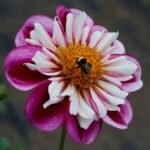
 Anemone & Collarette
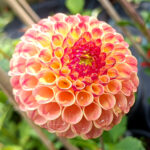 Pompon
 Ball
Ball Decorative
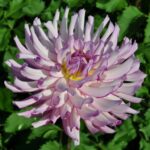 Cactus & Semi Cactus
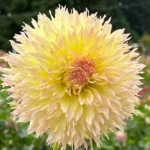 Laciniated or Fimbriated
 Waterlily

📝 How to Create and Activate Your Account at Dahlias NZ
To begin, visit our login and registration page:
👉 https://dahliasnz.com/my-account/
✅ Step 1: Register Your Email Address
-
On the Register tab, enter your email address & choose a good Password
Please write down or memorize your password before entering. -
Click the Register button.
-
You’ll receive an email titled Please Activate Your Account from the website — Please check both your Inbox & Spam or Junk folder for this!
🔐 Step 2: Activating Your Account
Open the email: “Please Activate Your Account”
This is the most important step and must be done to activate your account.
Inside that email, you’ll see a link that says:
“Please click here to verify your email on dahliasnz.com”
Click this link to activate your account.
💡 How to Know Your Account is Verified
After clicking the activation link, you’ll receive an email with the subject line:
“Your account has been activated successfully”
This email confirms that your account is now verified and fully functional.
⚠️ If you try to reset your password before verifying your email, it might appear to work — but you won’t be able to log in.
Your account will remain inactive until verified.
🔒 Why These Steps?
We understand this process may seem a little drawn out, but it’s an essential security measure.
Unfortunately, there are many bots and spam programs online that try to create fake accounts and flood websites with junk. These steps help keep Dahlias NZ safe for real users like you.
🚫 What Happens If You Skip a Step?
If the process is not followed in the correct order, your account may be flagged as suspicious or non-genuine. Our system could block further attempts to log in or create an account for a short time.
Please follow the steps exactly as outlined to avoid any issues.
✅ Summary Checklist
-
- Register your email with a good Password
- Open the Activate Your Account email
- Click the link to verify your account
- Receive “Your account has been activated successfully” confirmation Email
Thanks for reading! We hope this helped you get set up without any issues.
Need help? Contact us via email dahliasnz@gmail.com — we’re happy to assist!